What computer specifications does a premium home golf simulator genuinely need to run smoothly?
The computer is the least glamorous item on the quote and the one most likely to bottleneck an otherwise excellent bay. Here is what actually drives performance, and what you can safely skip.
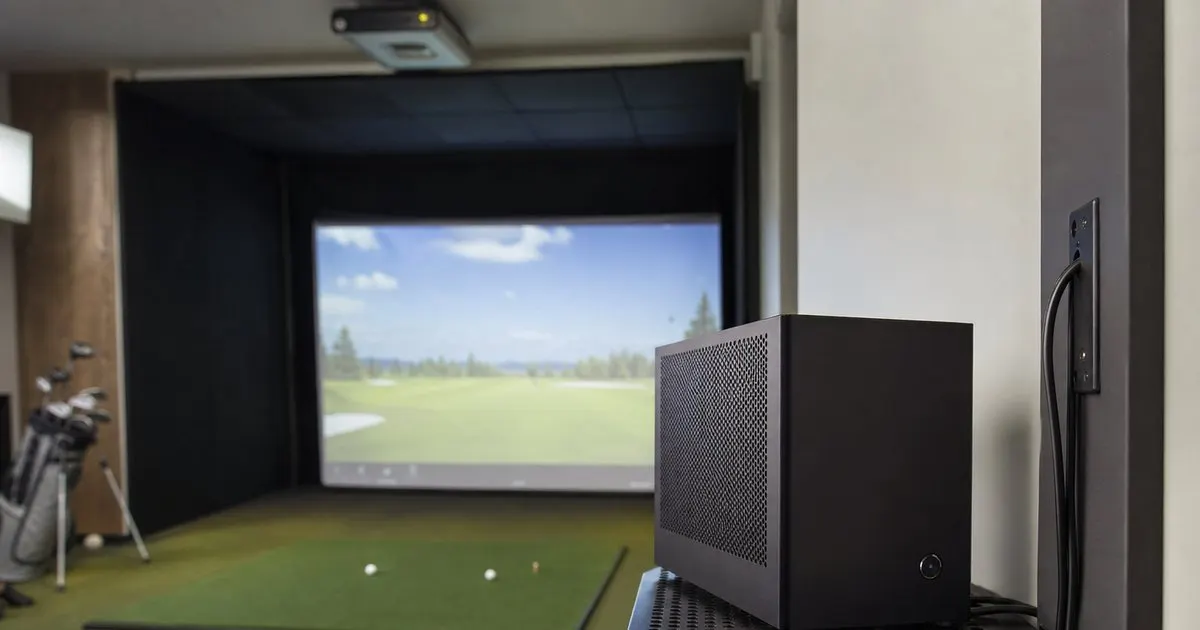
The graphics card carries the load
Simulator software is a real time 3D application that has to render a course at the projector's resolution, at a steady frame rate, and then react instantly when the launch monitor reports a shot. The graphics card does almost all of that work. Integrated graphics built into a processor are rarely adequate for the premium platforms at projector resolutions, and a mid range card from several generations ago will run but will stutter on the more detailed courses. What you want is a dedicated card from the upper tier of a recent generation, sized to the resolution you intend to project. Related: How much space does a premium home golf simulator bay actually require?
The resolution question is decisive. Rendering a course at 1080p is a modest task; rendering it at 4K asks the card for roughly four times the pixels every frame, and the visual settings that make courses beautiful multiply that further. Match the card to the projector, and read the software publisher's recommended specification rather than the minimum, because the minimum is the level at which the program launches, not the level at which it feels good. When in doubt, the graphics card is the component where extra budget produces the most visible improvement.
Keep reading: How much space does a premium home golf simulator bay actually require?, Which launch monitor technology gives the most accurate readings for home use?, What separates a five thousand dollar bay from a fifteen thousand one?. See how Golfbayr helps you the complete guide to premium home golf simulators.
Processor, memory and storage: enough, not excess
The processor matters less than the graphics card but cannot be ignored, since it handles physics, the launch monitor connection and everything running alongside the simulator. A current mid range desktop processor is generally sufficient; the top of the range buys little for this application. Memory is similar. Sixteen gigabytes is a typical comfortable floor for current software, and thirty two gigabytes provides headroom for larger courses, background applications and future updates without becoming wasteful. Related: Which launch monitor technology gives the most accurate readings for home use?
Storage is where buyers often cut corners. Course files for photorealistic platforms are large, and a library of a few dozen courses can consume a great deal of space quickly. A solid state drive is essential for load times, and a drive with generous capacity avoids the chore of deleting courses to make room for new ones. Prefer a fast NVMe drive as the primary and add a second drive later if the library grows; adding storage is far easier than replacing a graphics card. Related: Why does impact screen quality matter more than most buyers expect?
Laptop or desktop, and where the machine lives
Laptops are tempting for their tidiness, and a well specified gaming laptop will run the software, but they throttle performance when they get hot, are harder to upgrade and often lack the ports a bay needs. A desktop tower offers better cooling, easier repair and the option to swap the graphics card in a few years without replacing everything else. For a permanent installation the desktop is the sensible default, tucked into a ventilated cabinet or on a shelf well outside any possible ball path.
Cable lengths shape placement. Launch monitors connect over USB, wireless or network, and USB in particular has practical length limits before the signal becomes unreliable, so the computer usually needs to sit within reach of the sensor or use an active extension. The projector connection runs the other way, and long HDMI runs at 4K often need active or fiber cables. Placing the computer between the two, with a conduit to each, keeps the runs short and the room clean. Keep a wireless keyboard and a small touchscreen or tablet near the mat so nobody walks to the tower between shots. Related: How do you choose the right projector and throw ratio for a home golf bay?
Keeping it reliable week after week
Treat the simulator computer as a dedicated appliance rather than the family machine. Install the simulator software and its launch monitor drivers, the video capture tools you actually use, and little else. Automatic operating system updates have a habit of restarting a machine in the middle of a round, so schedule them for a time the bay is never used and check for graphics driver updates deliberately rather than letting them install unannounced, since a new driver occasionally introduces problems with a specific engine.
A small uninterruptible power supply protects the machine and projector from brief outages and lets you shut down cleanly. Dust is the quiet enemy in a room with turf and a mat shedding fibers, so open the case and clean the filters and fans on the same schedule as the projector. Hardware links here may be affiliate links. Buy or build a desktop around a strong recent graphics card, keep the rest sensible, and give the machine clean power, clean air and short cables.
- The graphics card determines whether courses run smoothly; size it to the projector's resolution.
- A current mid range processor, sixteen to thirty two gigabytes of memory and a large NVMe drive are sufficient.
- A desktop in a ventilated spot beats a laptop for cooling, upgrades and port availability.
- Dedicate the machine to golf, control updates, add a small UPS and clean the dust regularly.

Julien Jimenez
Julien Jimenez is an independent software builder based in Paris. He designs, ships, and operates focused SaaS products for small businesses and independent professionals. Read the full author page.
Your Game, Ready Every Morning
The complete guide to premium home golf simulators. Golfbayr is built to help you put this into practice.
Build your bayMore from the Golfbayr blog
How much space does a premium home golf simulator bay actually require?
Which launch monitor technology gives the most accurate readings for home use?
What separates a five thousand dollar bay from a fifteen thousand one?
Get the complete home golf simulators guide
Our full buying guide, the price guide, and new research as we publish it. One email, no spam, unsubscribe any time.